How to Use AI Dubbing: A Step-by-Step Guide


When a business’s message lands with clarity and emotion, it sticks.
Many companies struggle to make their videos resonate with international viewers because of language barriers and poor-quality translations. That’s where CAMB.AI comes in, offering a powerful solution to transform your content into engaging, natural-sounding videos in multiple languages.
AI dubbing is revolutionizing how creators, filmmakers, and educators connect with viewers worldwide. If you've been curious about using AI dubbing software but haven't taken the plunge yet—now's the time to start!
In this AI dubbing tutorial, we will walk you through the process of using AI dubbing to transform your videos into multilingual masterpieces. Let's dive in and unlock the power of AI-powered voice translation!
Why Should You Start Using AI Dubbing?
You might think that traditional subtitles are enough for reaching global audiences. However, studies show that people are more likely to engage with content in their native language when it's spoken rather than read. Multilingual AI dubbing bridges this gap by offering a localized experience without requiring extensive resources.
With the global video streaming market expected to grow exponentially in the coming years, integrating AI dubbing into your workflow can help you stay ahead of the curve and connect with diverse audiences worldwide.
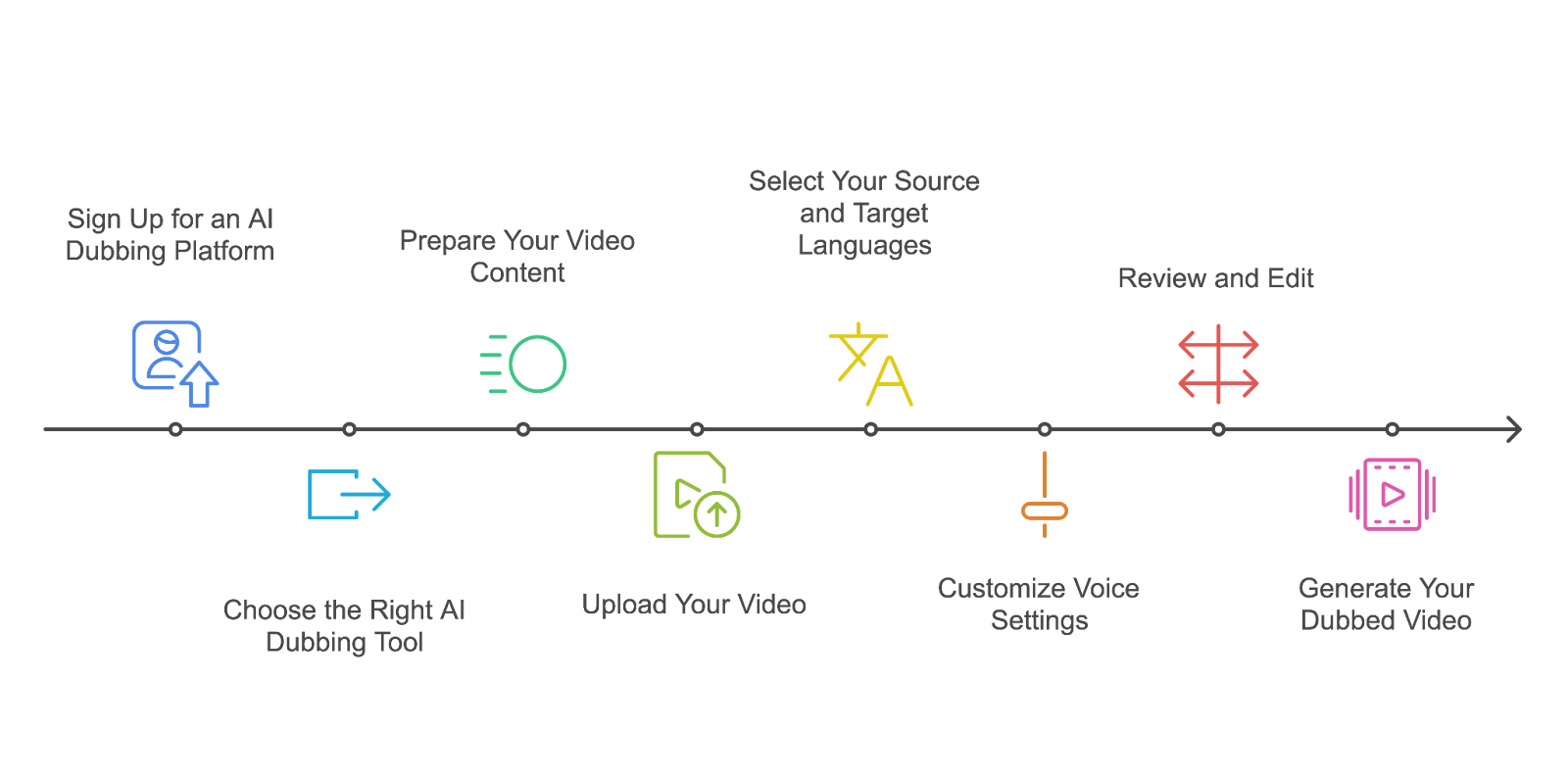
Step-By-Step Guide to AI Dubbing
- Sign Up for an AI Dubbing Platform like CAMB.AI’s DubStudio
Before you start, you need to create an account on an AI dubbing software platform like CAMB.AI. This gives you access to a free trial, allowing you to test the waters with a short video. CAMB.AI offers a user-friendly interface and powerful AI tools to get you started.
Try CAMB.AI for free
- Choose the Right AI Dubbing Tool
Select a platform that supports your needs. CAMB.AI is a great option, offering features like multi-language (150+) support, voice customization, and ease of use.
- Prepare Your Video Content
Ensure your video is ready for translation:- Clean up audio quality for accurate speech processing.
- Organize your script (if available) to speed up the translation process.
- Identify target languages based on your audience demographics.
- Upload Your Video
- For CAMB.AI, navigate to the Home page and choose "Dub a New Video" or select "Dubbing" on the left side panel.
- Upload your video file (supported formats: .mp4, .mov) or provide a link to a YouTube video or Google Drive file.
- Enter your video's title and description.
- Select Your Source and Target Languages
Choose your video's original language and the languages you want to dub into. CAMB.AI supports over 150 languages, giving you incredible flexibility in reaching global audiences.
- Customize Voice Settings
One of the standout features of AI dubbing is voice customization. With CAMB.AI's MARS AI model, you can:- Replicate speaker identity, style, and nuance.
- Transfer vocal performances (voice cloning and emotion mirroring) using just 2-3 seconds of audio.
- Maintain prosody and emotion across languages.
- Review and Edit
CAMB.AI offers an Advanced Editor option, allowing you to:- Check transcription and translation accuracy.
- Adjust lip-sync.
- Fine-tune dubbed audio quality.
Generate Your Dubbed Video
Once you're satisfied with the settings, click "Begin Dubbing Project" to start the AI dubbing process. CAMB.AI's powerful AI will work its magic, creating a naturally-dubbed version of your video in your chosen target language(s).
As you embark on your AI dubbing journey, remember that consistency is key. Ensure that all your dubbed versions maintain a uniform tone, style, and messaging to create a cohesive brand image.
Before publishing, test your content with native speakers to catch any cultural nuances or errors that might slip through. Staying updated on the latest advancements in AI dubbing technology will also help you leverage new features and improve your content's quality.
Additionally, consider adding subtitles alongside AI-dubbed audio to enhance accessibility for viewers who prefer reading along.
With AI dubbing softwares like CAMB.AI, breaking down language barriers has never been more accessible or affordable. Whether you're creating educational videos, marketing campaigns, or entertainment content, embracing this technology can help you connect with audiences worldwide like never before.
So why wait? Dive into the world of AI dubbing today and watch your global reach expand! Get started with CAMB.AI.
Ya seas un profesional de los medios de comunicación o un desarrollador de productos de IA de voz, este boletín es tu guía de referencia sobre todo lo relacionado con la tecnología de voz y localización.
Preguntas frecuentes
Artículos relacionados