IMAGE TRANSLATION

The only image translation tool that reads, translates, and rebuilds the page

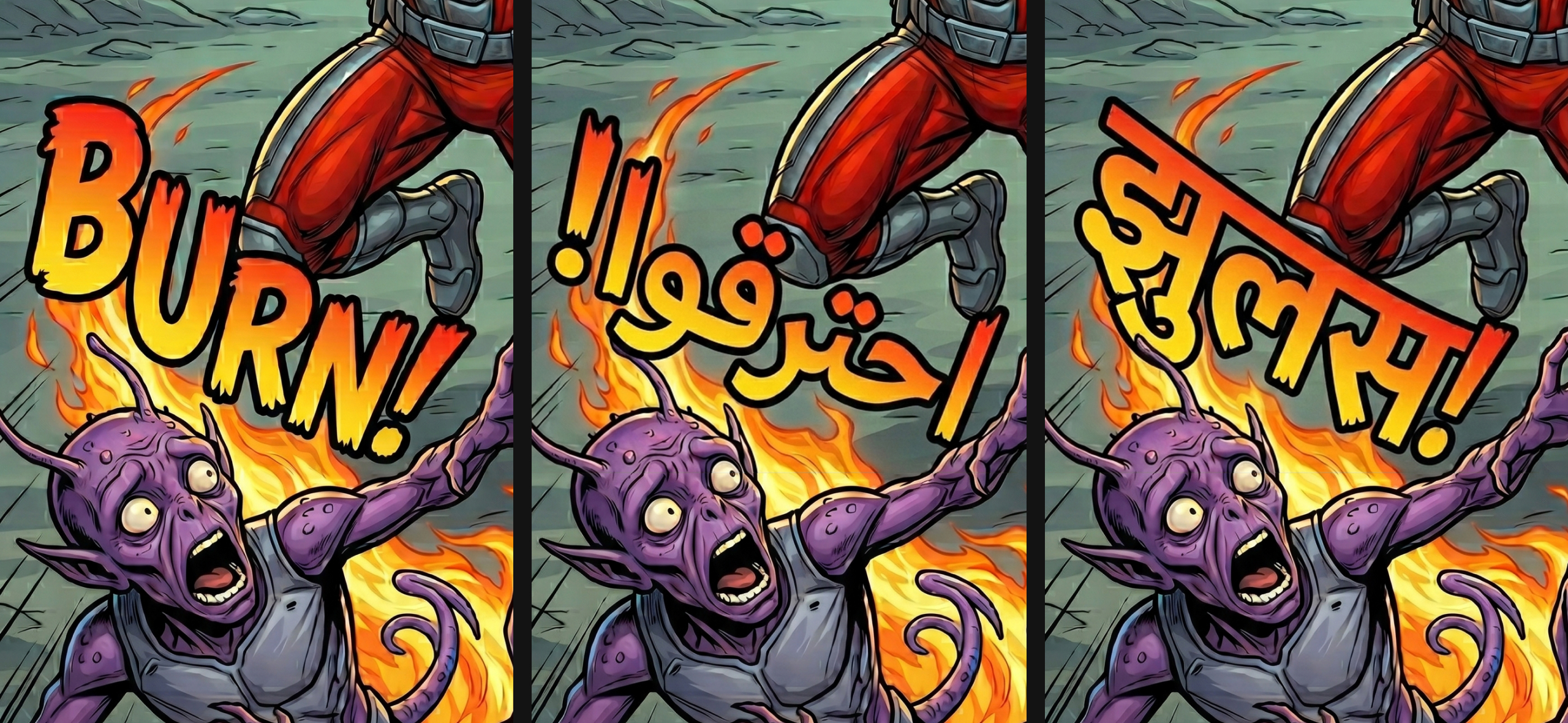
Other tools stop at extracting text. CAMB.AI automatically detects every text region in your images, comics, PDFs, and PSD files, translates it into 150+ languages, and renders it back into the original artwork, typography and layout intact.
What Is Image Translation

A project-based workflow, not a one-click filter

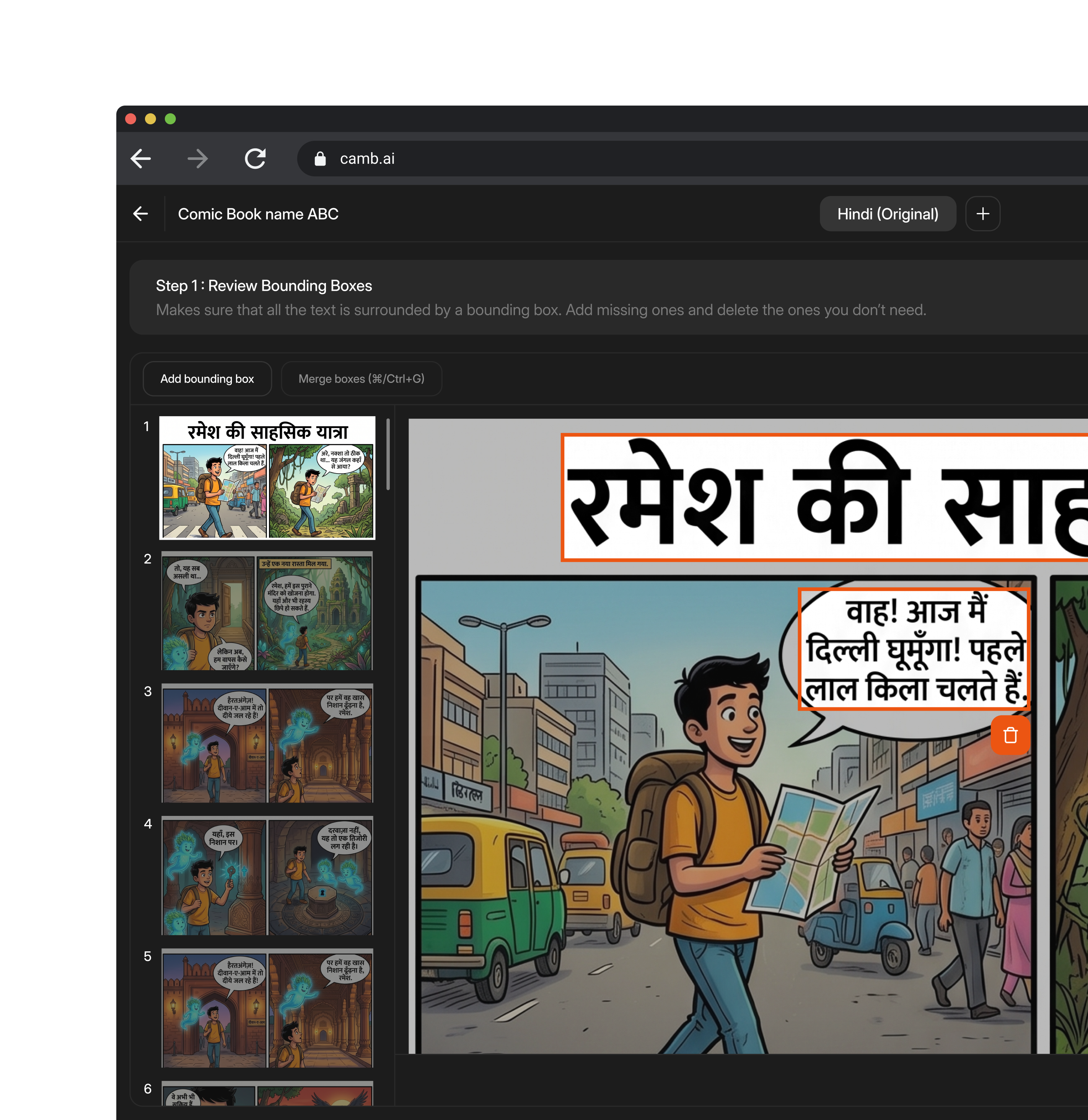
Image Translation reconstructs the translated image instead of just returning plain text. Upload a file to create a project; CAMB.AI automatically detects the source language and every text region, generates a preview of each page, and gives you a bounding box around each piece of text before anything gets translated.

You review those boxes, confirm the layout is right, then translate into one or more languages at once. Every result stays editable in a translation table, with AI-assisted regeneration for individual regions and full version history, so teams can trust the output, not just the first pass.
Built For The Hard Cases

Translate the formats other tools can't touch
P: if needed
Comics & Graphic Novels
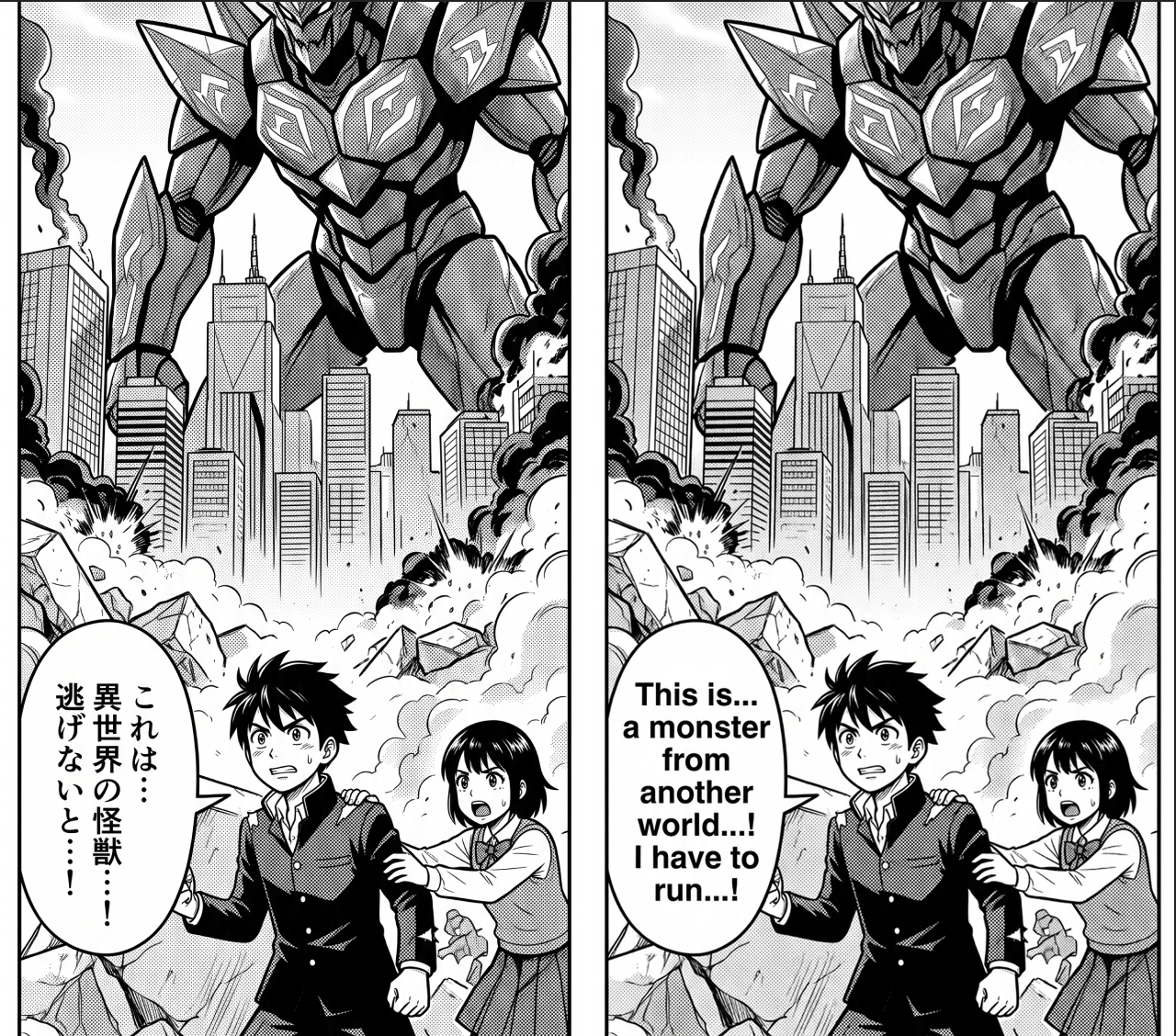
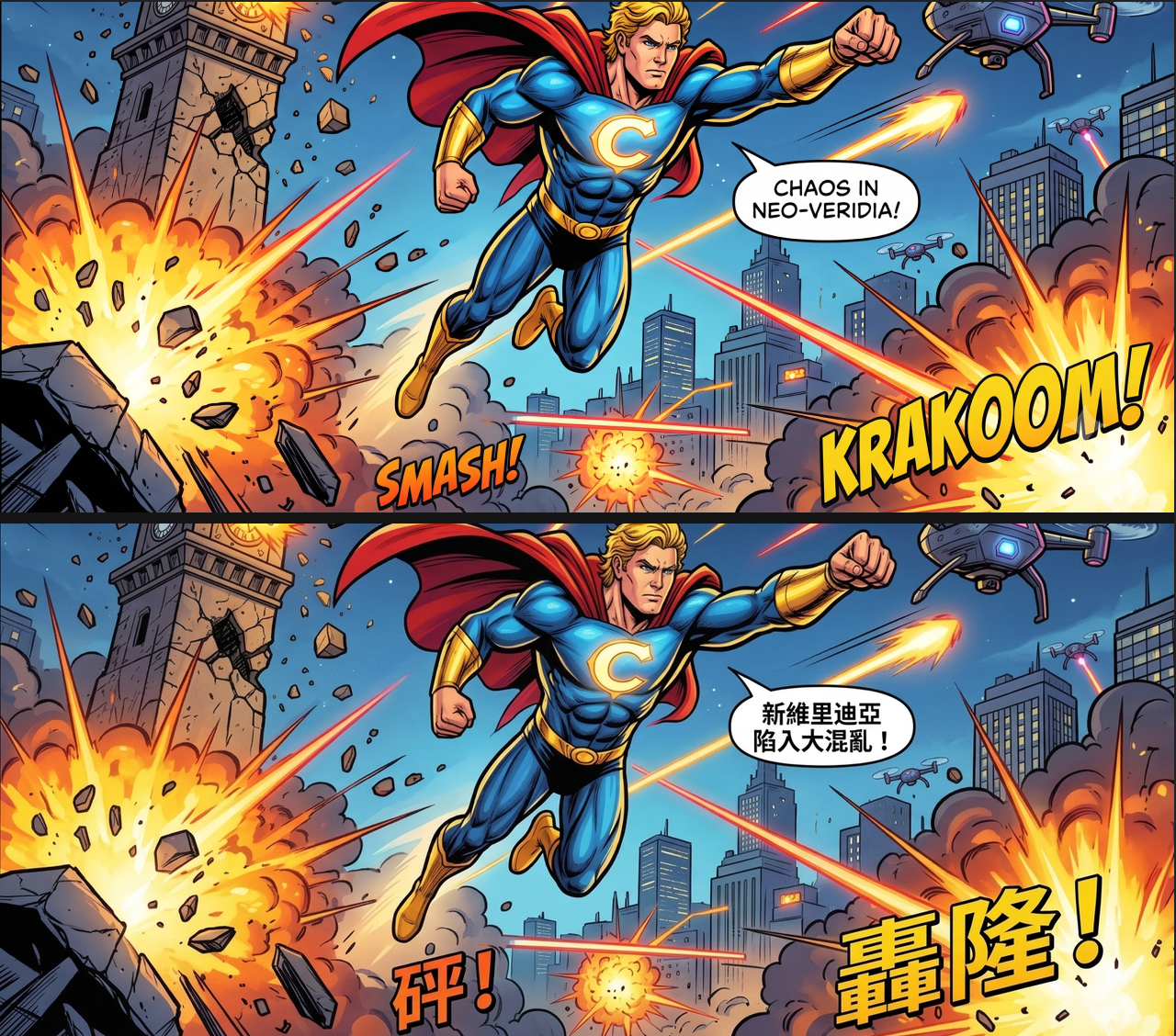
Detects dialogue across panels and speech bubbles, translates each one, and re-letters it in place, panel layout and art untouched.
Try Image Translation
Manga
Handles vertical, right-to-left reading order and dense speech bubbles, translating dialogue while preserving the original page flow.
Try Image Translation
PSD & Layered Design Files
Reads existing text layers directly instead of running OCR, generating bounding boxes automatically from the layer structure so editors can work with familiar layers.
Try Image Translation
PDFs & Slides
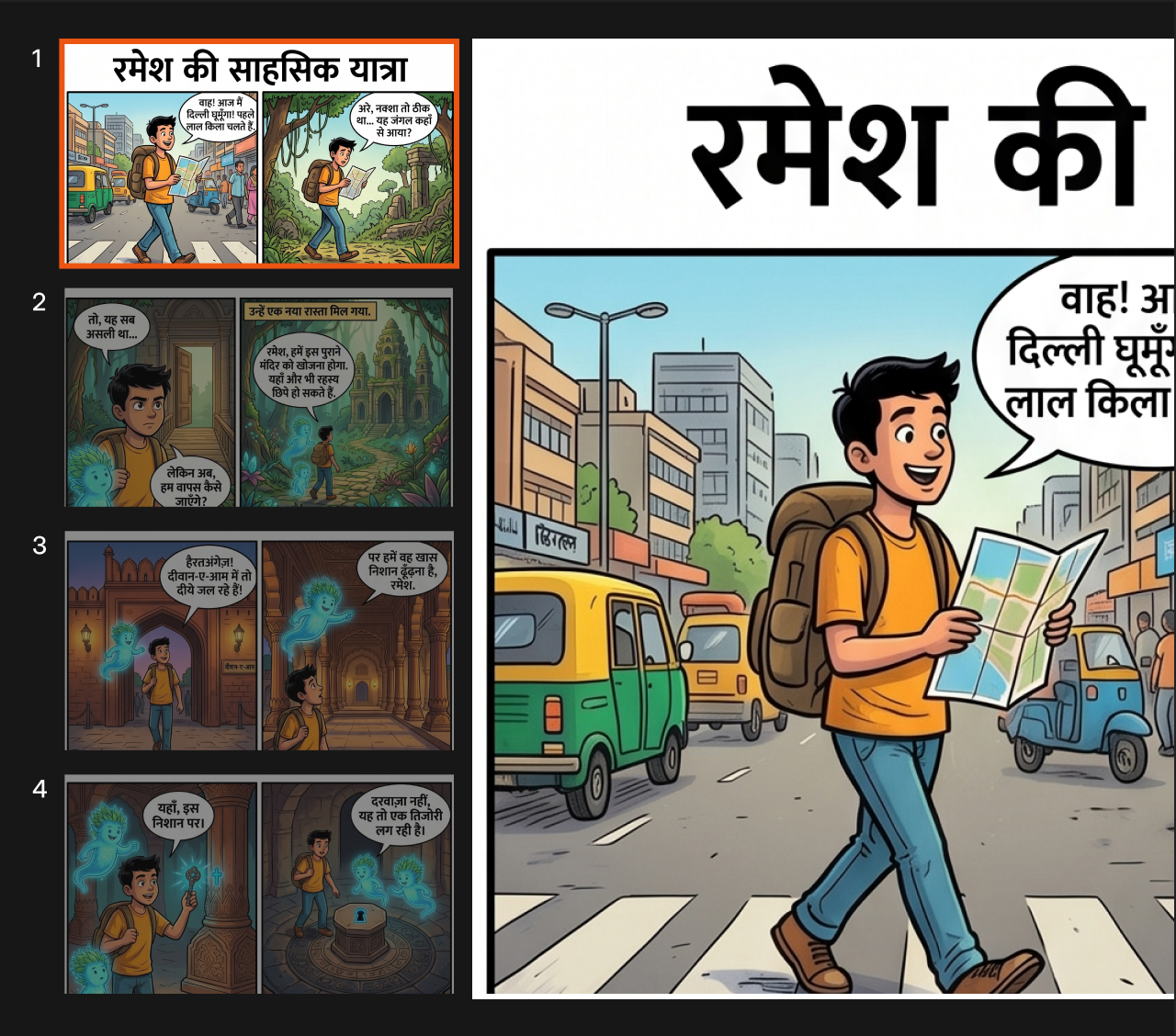
Processes every page or slide with the same detect, review, translate, and render workflow, with a thumbnail sidebar for navigating long or multi-page files.
Try Image Translation
USE CASES
Industries

Who is Image Translation built for?

P: if needed
Marketing & Creative Teams
Localize campaign creative, ads, and social graphics into new markets without re-briefing a designer for every language.
CTA →
E-Commerce Teams
Translate product imagery, packaging shots, and listing graphics at the scale a growing catalog demands.
CTA →
Media & Content Teams
Localize thumbnails, infographics, and visual content for international audiences without rebuilding source files.
CTA →
HOW IT WORK

From upload to rendered translation in six stages

STEP 1
Create a Project
Upload a single image, a ZIP archive, a PDF, or a PSD file. Name the project or let the filename fill in automatically.
STEP 2
Automatic Detection
CAMB.AI detects the source language and every text region in each page, and generates a preview for review.
STEP 3
Review Bounding Boxes
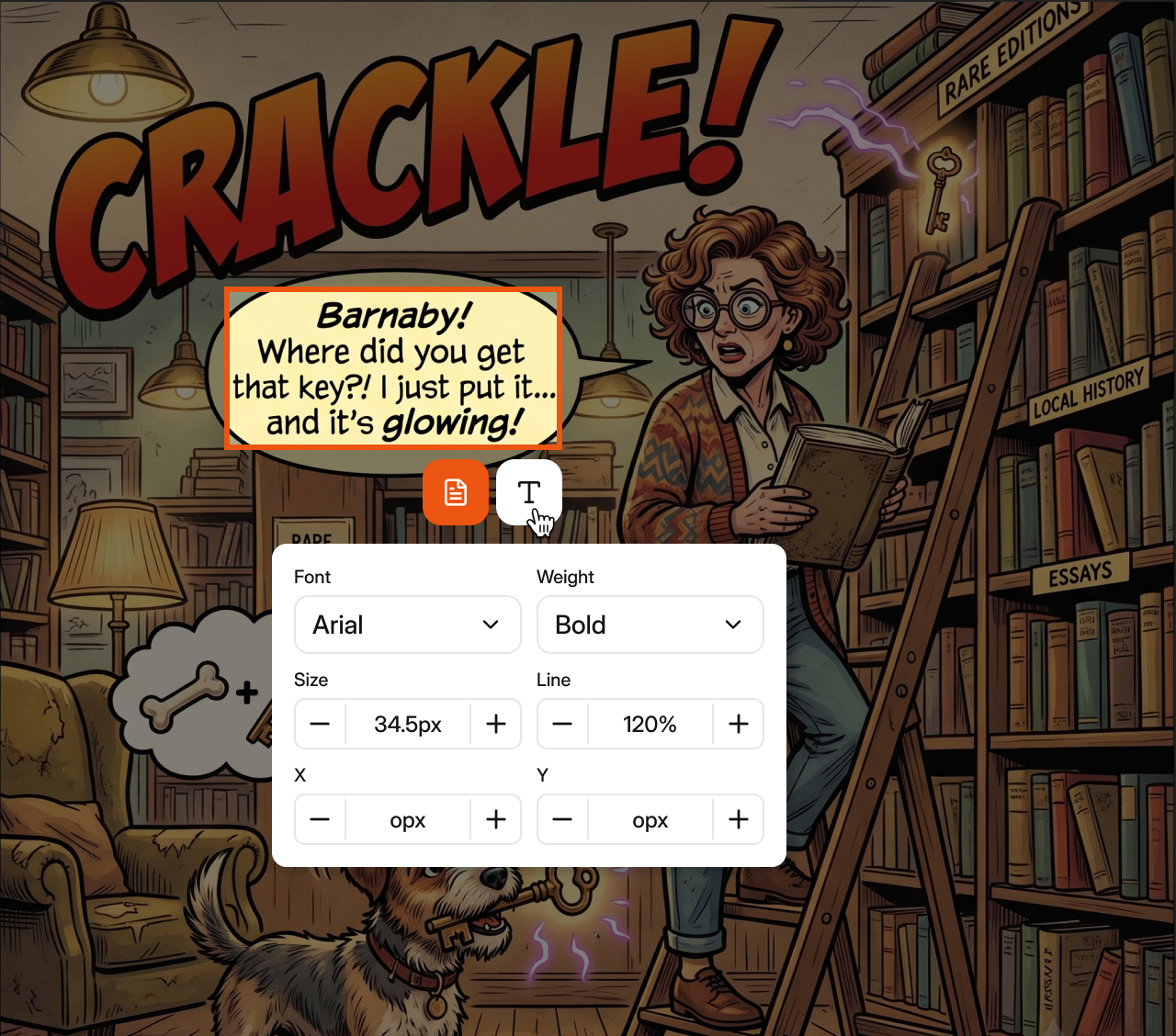
Adjust, resize, delete, or add detected text regions before translation runs, so quality starts from accurate extraction.
STEP 4
Translate
Choose one or more target languages. Every detected region is translated, with multiple languages able to coexist in one project.
STEP 5
Review & Refine
Edit translations in the translation table, retranslate individual elements, or use AI Review to regenerate a single region.
STEP 6
Render & Export
Original text is removed, artwork is preserved, and translated text is placed back matching the source typography and layout.
faqs

Frequently Asked Questions

Does Image Translation detect text automatically, or do I have to select it myself?
Detection is automatic. Once a project finishes processing, CAMB.AI detects the source language and every text region and draws a bounding box around each one. You can review and adjust those boxes before translation runs.
What file types can I upload?
Single images, ZIP archives of images, PDF documents, and PSD files. PSD files use existing text layers instead of OCR, so bounding boxes are generated automatically from the layer structure.
Can Image Translation handle comics, manga, or multi-page documents?
Yes. Multi-page projects such as comics, manga, presentations, and scanned documents follow the same detect, review, translate, and render workflow, with a thumbnail sidebar for navigating between pages.
How many languages does Image Translation support?
150+ languages and regional locales. Multiple target languages can exist in the same project at once.
Does rendering preserve the original design?
Yes. Rendering removes the original text, preserves the underlying artwork, and places translated text back into the correct position, matching the original typography and layout as closely as possible.
Stop redesigning images for every language
Upload an image and let CAMB.AI handle the rest - in 150+ languages.