
CAMB.AI

The invideo alternative that narrates the video you already have

Upload your cut. CAMB.AI writes the narration from the picture, or reads your script, and voices it in 150+ languages.

Video Narrationdeep-sea.mp4 uploaded
  1. Generating video narration
  2. 0:02Far below the surface of the Pacific Ocean,
  3. 0:06lies a place so deep that sunlight has never reached it.
  4. 0:11Nearly six thousand meters below the crashing waves,
  5. 0:15where the water temperature drops to near freezing,
  6. 0:18the sea opens into a vast underwater chasm.
  7. 0:23This is the Mariana Trench, the deepest known part of the Earth's oceans.
  8. Narration readyTurn on Narration to hear it

Trusted by broadcasters, studios and leagues

CAMB.AI and invideo, side by side

  • Voice languages

    CAMB.AI150+languages
    invideo50+languages

invideo or CAMB.AI?

invideo is a video editor: its agent cuts clips, adds stock footage and generates shots. CAMB.AI does one job around it, giving a finished video a narrator in 150+ languages, with the script written from the picture or taken from you.

CAMB.AI vs invideo: video narration compared

FeatureCAMB.AIinvideo
Starting pointYour finished videoClips edited on a timeline
Voice languages150+ languages50+ languages for dubbing
Your own voiceVoice clone as narratorClone your own voice
What you downloadNarrated video plus audio fileExported video
Developer accessVideo narration APIConnect agents via MCP
Free startGeneral free planFree dubbing, water­marked export

Choose CAMB.AI if

  • Your video is edited and needs a voice
  • You publish in many languages from one project
  • You want the script written from the picture
Get started

invideo still fits if

Pick invideo when the video itself still has to be made: clips cut by its agent or shots generated from a prompt. CAMB.AI narrates finished video and does not edit it.

What changes when you switch

150+ languages, one project

Add a language to the same project and CAMB.AI translates and re-voices the script. The video stays the same.

invideo's AI dubbing page lists 50+ languages, which covers the big markets but not every audience.

Explore video narration

Home/Narrations
FileLink
Select Source Language
english (united states)
afrikaans (south africa)
amharic (ethiopia)
arabic (united arab emirates)
arabic (bahrain)
arabic (algeria)
arabic (egypt)
arabic (iraq)
arabic (jordan)
arabic (kuwait)
arabic (lebanon)
arabic (libya)
arabic (morocco)
arabic (oman)
arabic (qatar)
arabic (saudi arabia)
arabic (syria)
arabic (tunisia)
arabic (yemen)
azerbaijani (latin, azerbaijan)

Upload, script, voice

Drop in an MP4 or MOV, get the script, pick a voice and download. Three steps, no timeline.

Reviewers note invideo's broad editor takes time to learn when the job is just a narration track.

Explore video narration

Home/Narrations
FileLink
English (United States)
Select Narrator voice
Click or Drag to Upload HereSupported formats: .mp4, .mov, .mp3, .wav, .flac, .aac · Unlimited size · Unlimited length
Begin Narration

A script from the picture

CAMB.AI watches the shots and writes timed narration lines. You can edit any line before it is voiced.

Many editors expect you to type or prompt the words before anything is voiced.

Explore video narration

Home/Narrations
SettingsHistory
Untitled Project
MARS8-InstructDirector-level emotion and prosody control via embedded text tags. Built for TV, film, dubbing and post-production.
Script (Optional)Optional for .mp4 and .mov. Required for audio. Supported Formats: .txt, .docx only.
Project Setup

Keywords for names

Add project keywords to control how names and terms are said and translated in every language.

Brand and product names are easy for any AI voice to mispronounce across languages.

Explore video narration

Home/Narrations
SettingsHistory
Project Setup
None
Add a description…
Select Keywords

Teams that run on CAMB.AI

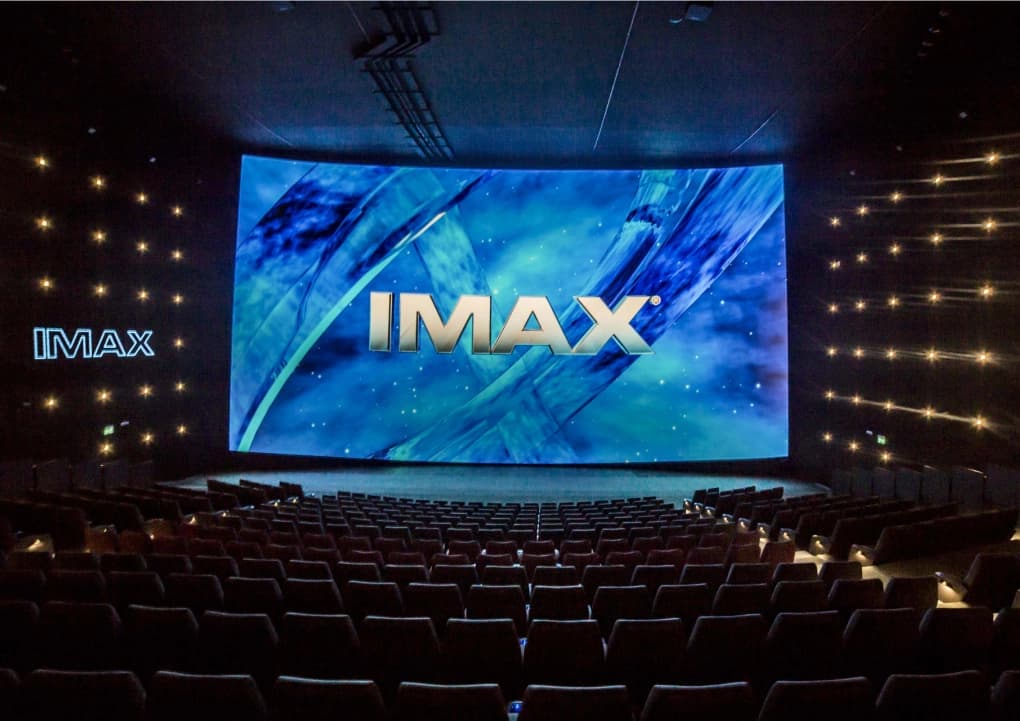
An IMAX theatre with the IMAX logo on the screen

IMAX documentaries in other languages, with the narrator's voice

IMAX uses CAMB.AI to voice its original documentary films for audiences who don't speak the original language. What once took weeks per language now takes a fraction of the time.

140+
languages for IMAX's original documentaries
Original
narrator's voice and delivery, kept in every language
Faster
a fraction of the time it took per language before
Read the story

Move from invideo in 3 steps

  1. 01

    Export your edit

    Export the finished video as MP4 or MOV, or share it from Google Drive.

  2. 02

    Upload and get a script

    Upload it to CAMB.AI and let it write the narration, or add your own script file.

  3. 03

    Pick voices and languages

    Choose a voice, add every language you need and download the narrated videos.

Questions about invideo alternatives

If your video is already edited and you need a narrator, CAMB.AI fits the job. It writes the script from the video or reads yours, and narrates it in 150+ languages.

CAMB.AI has a general free plan, so you can try video narration in CAMB.AI Studio before you pay. Paid plans are on camb.ai/pricing.

invideo is an AI video editor that cuts clips and builds videos from stock or AI shots. CAMB.AI gives a finished video its narration, in 150+ languages.

No. CAMB.AI does not generate or edit video. You bring the video, and CAMB.AI writes and voices the narration.

Yes. Use a voice clone as the narrator, and only clone voices you have the rights and consent to use.

Video as MP4 or MOV, or a public Google Drive link. Scripts as DOCX, TXT or SRT.

A voice over adds a new narrator to the video. Dubbing replaces the speech on screen in another language and keeps each speaker's voice.

Try the invideo alternative for narration

  • Free plan to start
  • 150+ languages
  • SOC 2 compliant